
Your team books first
Add your own shoots from the admin schedule and set the price yourself, including €0 when nothing is due.
For agencies, production companies, and brands with their own studio
Your team’s shoots and client rentals in one schedule. Book your own projects in admin, and open the free hours to clients online.
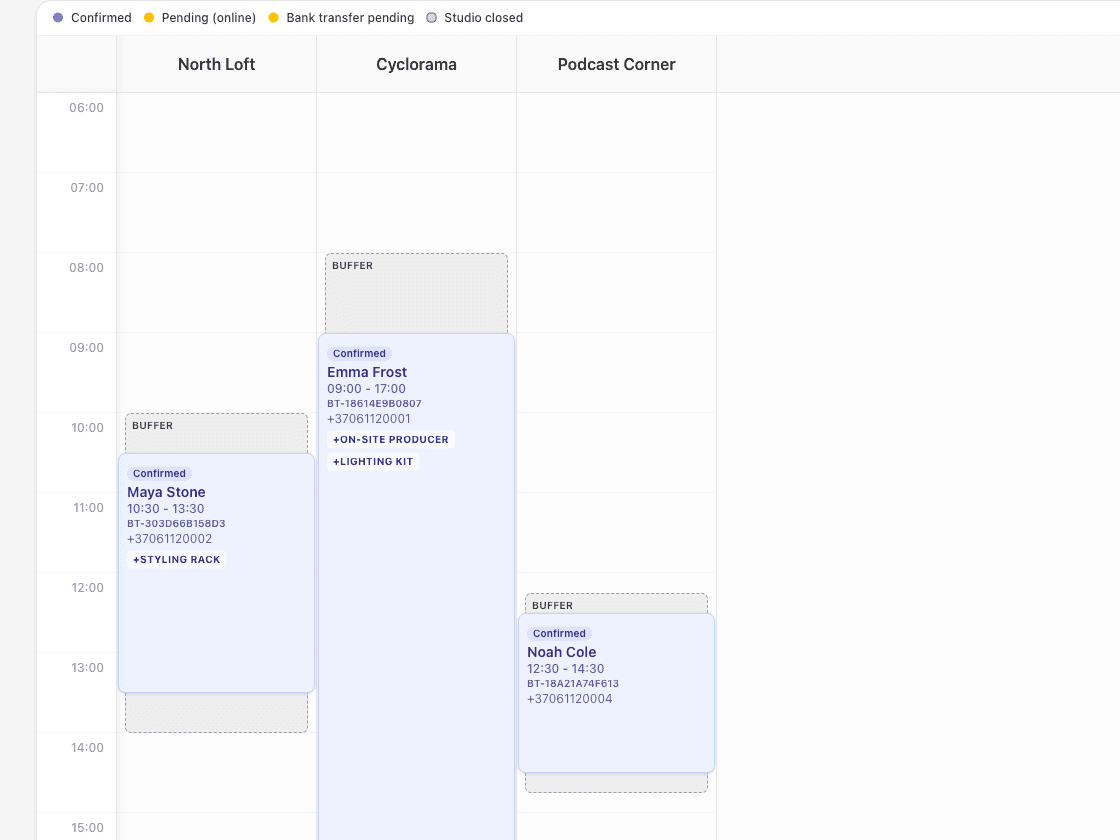
Why one schedule
When the studio serves your own projects first, rentals usually live in a second calendar or a message thread. StudioDock keeps both on the same sets, so the team always knows what is free and clients can only book what really is.
Add your own shoots from the admin schedule and set the price yourself, including €0 when nothing is due.
Publish a booking page for the open hours. Clients choose the set, gear, and crew, then pay the way you allow.
Internal and client bookings share the same open hours. Linked sets and shared gear are blocked across both.
Mirror bookings to one Google Calendar and, if you choose, let its busy times block new client bookings.
How it works
01
Create each room or set with its hourly rate, packages, buffers, and the gear or crew clients can add.
02
Book internal shoots from the admin schedule, or keep them in Google Calendar and let those busy times block client bookings.
03
Add the booking form to your website. Clients see whether a time is free, not who booked it or why.
Who it is for
Running several rooms or sets for clients as well? The multi-room guide covers rates, buffers, and shared spaces in more detail.
Multi-room studio schedulingShoot client campaigns in your own studio and rent the quiet days to photographers and creators.
Keep stages and edit suites free for productions, then sell the remaining hours with crew and gear.
Record your own artists first and open the room to outside sessions when it is free.
Run castings, content days, and model tests in-house while external teams book the rest of the week.
Frequently asked questions
Yes. Create bookings for your team from the admin schedule and set the price manually, including €0. They use the same availability as client bookings, so nothing is double-booked.
No. The public booking page and master calendar show whether a time is free or taken. Client names and booking details stay in admin.
Yes. Every plan can mirror confirmed bookings to one Google Calendar for the studio, and you can choose to let that calendar’s busy times block new bookings.
Starter includes three team seats. Pro adds unlimited team members, crew schedules with time off, and freelancer pick-up for staffed bookings.
Starter covers up to three rooms or sets and three seats. Pro includes five rooms or sets, unlimited team, your own domain, and the client portal. Custom adds full white-label and several locations under one agreement.
Start a free trial with one set, or tell us how your team uses the studio today and we will suggest a setup.