
Recurring Studio Memberships: How to Turn Repeat Clients Into Predictable Revenue
Reviewed by StudioDock product team. Last updated May 8, 2026.
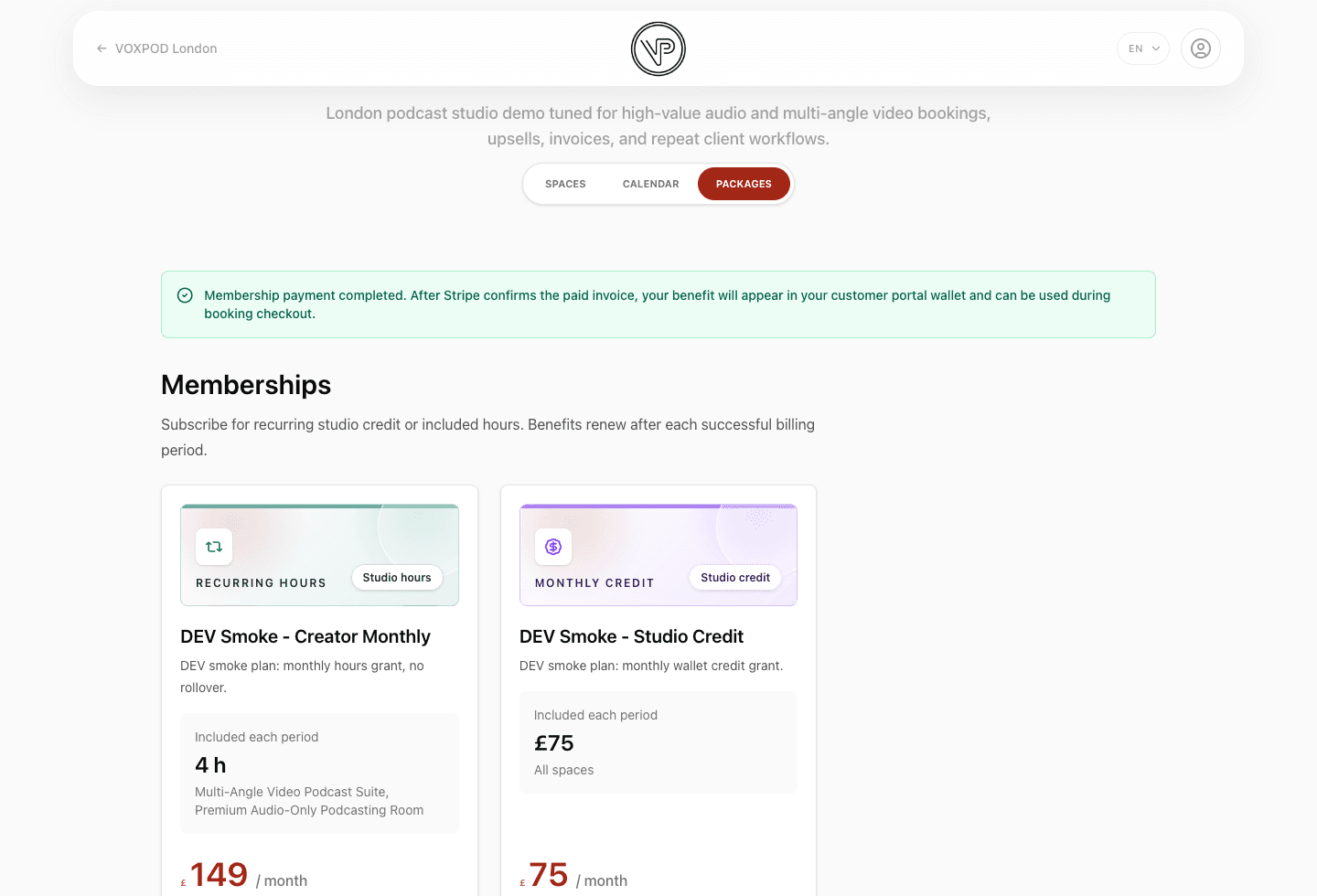
Studios often have a small group of clients who book again and again: podcasters recording a season, agencies reserving campaign days, creators who need monthly production time, or wellness clients buying a repeat ritual. Those clients should not have to repurchase from zero every time.
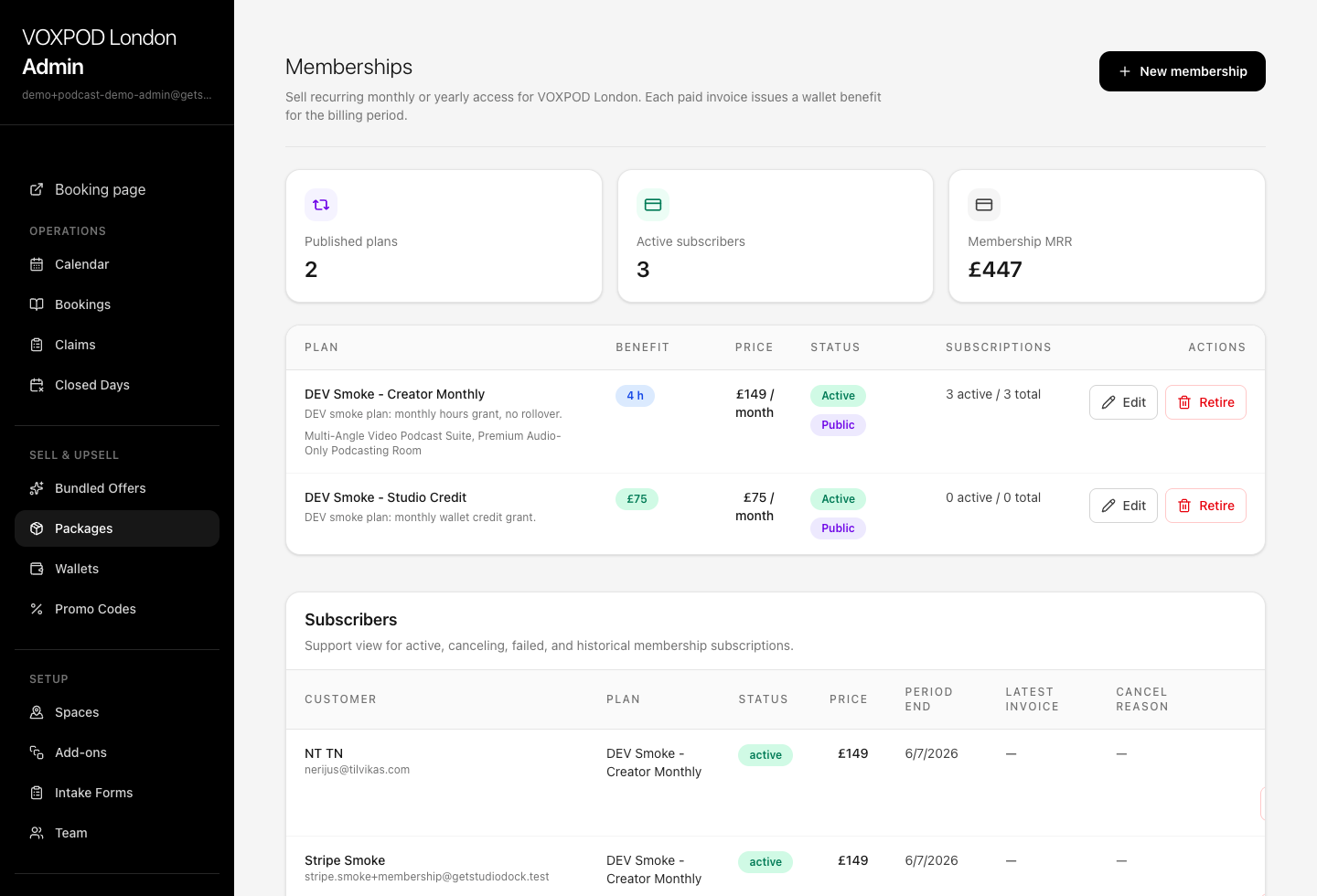
Recurring studio memberships turn that repeat demand into a cleaner revenue model. The customer subscribes once, Stripe bills them every month or year, and the booking system issues the included studio value only after the invoice is paid.
What a studio membership should actually sell
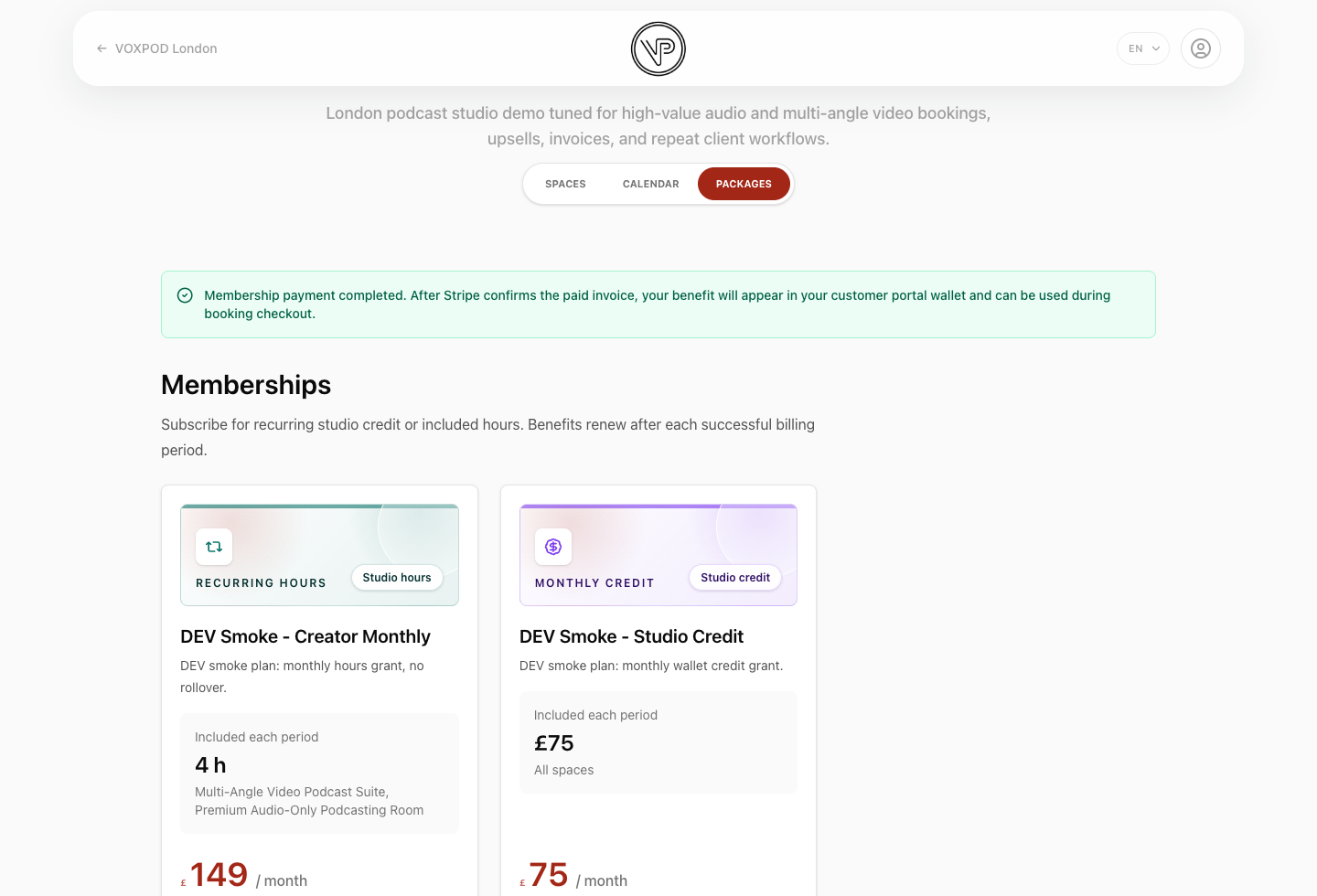
A good studio membership is not just a discount label. It needs a clear monthly benefit that maps to real bookings.
- Included hours: for repeat clients who buy studio time in a predictable cadence.
- Wallet credit: for teams that want a recurring account balance and flexible booking value.
- Scoped access: for memberships that should work only for selected spaces, booking plans, or included add-ons.
The safest launch model is simple: one paid invoice creates one wallet grant for that billing period. If the client does not use it, the benefit expires at period end instead of rolling over forever.
Why the invoice should be the source of truth
Recurring billing gets risky when the studio gives benefits before payment is confirmed. Failed cards, expired payment methods, and disputed invoices can all create accounting confusion.
A stronger implementation waits for Stripe to confirm the paid invoice, then issues the wallet grant. That keeps billing, email communication, invoices, customer portal visibility, and wallet redemption aligned.
How the wallet ledger should show membership top-ups
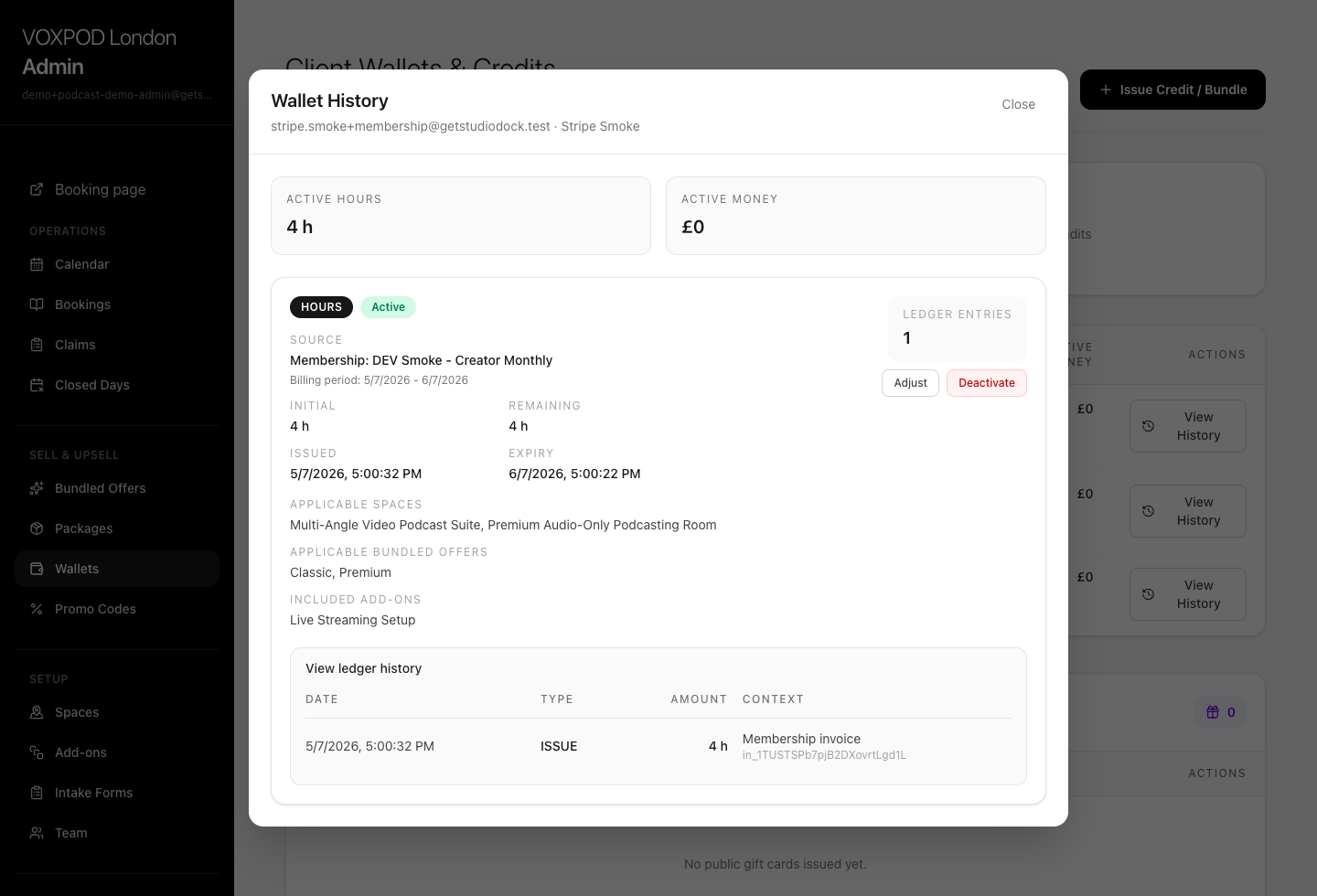
Memberships should not create a separate balance system. They should use the same wallet and ledger that one-time hour packages in Offers use, with extra source context so staff understand why a balance exists.
- The grant shows the membership plan that issued it.
- The grant expires at the subscription billing period end.
- The ledger entry links back to the membership invoice context.
- Checkout can redeem the value the same way it redeems a prepaid package.
Membership examples by studio type
- Podcast studio: monthly creator plan with four included recording hours.
- Photo studio: agency retainer with recurring money credit and priority room access rules.
- Video studio: production membership that includes a selected studio and live-streaming setup.
- Rehearsal or wellness space: monthly hour bundle for clients who book the same rhythm every week.
Where recurring memberships fit in StudioDock
StudioDock memberships are available on Pro and Scale plans. They work with Stripe recurring billing, the public Offers page, automatic wallet top-ups, membership emails, admin subscriber views, customer portal membership management, and the admin invoice center.
One-time prepaid offers are still useful. Read the guide to selling prepaid studio hours online when you want a non-recurring package. Use memberships when the client relationship is ongoing and the studio wants predictable recurring revenue.
You can compare plan availability on the StudioDock pricing page or open a live demo.
Ready to upgrade your studio?
Join the creative spaces switching to StudioDock to maximize every booking hour.
Start your 7-day free trial