Introducing StudioDock Sessions
Reviewed by StudioDock product team. Last updated May 2, 2026.
StudioDock started as booking software for spaces. That remains core. But many small creative businesses do not start by selling a room. They sell a session.
A photographer might sell mini portraits. A videographer might sell a half-day shoot. A podcast producer might sell a recording session. A consultant or private workshop host might need one clear booking page.
That is why we are introducing StudioDock Sessions: a simpler way to sell sessions inside StudioDock.
What StudioDock Sessions Is
Sessions is not a separate brand and it is not a generic appointment scheduler. It is a second StudioDock path alongside Spaces.
- StudioDock Spaces is for rooms, studios, saunas, venues, playrooms, and other physical spaces.
- StudioDock Sessions is for photo shoots, video shoots, recordings, private workshops, consultations, and creative services.
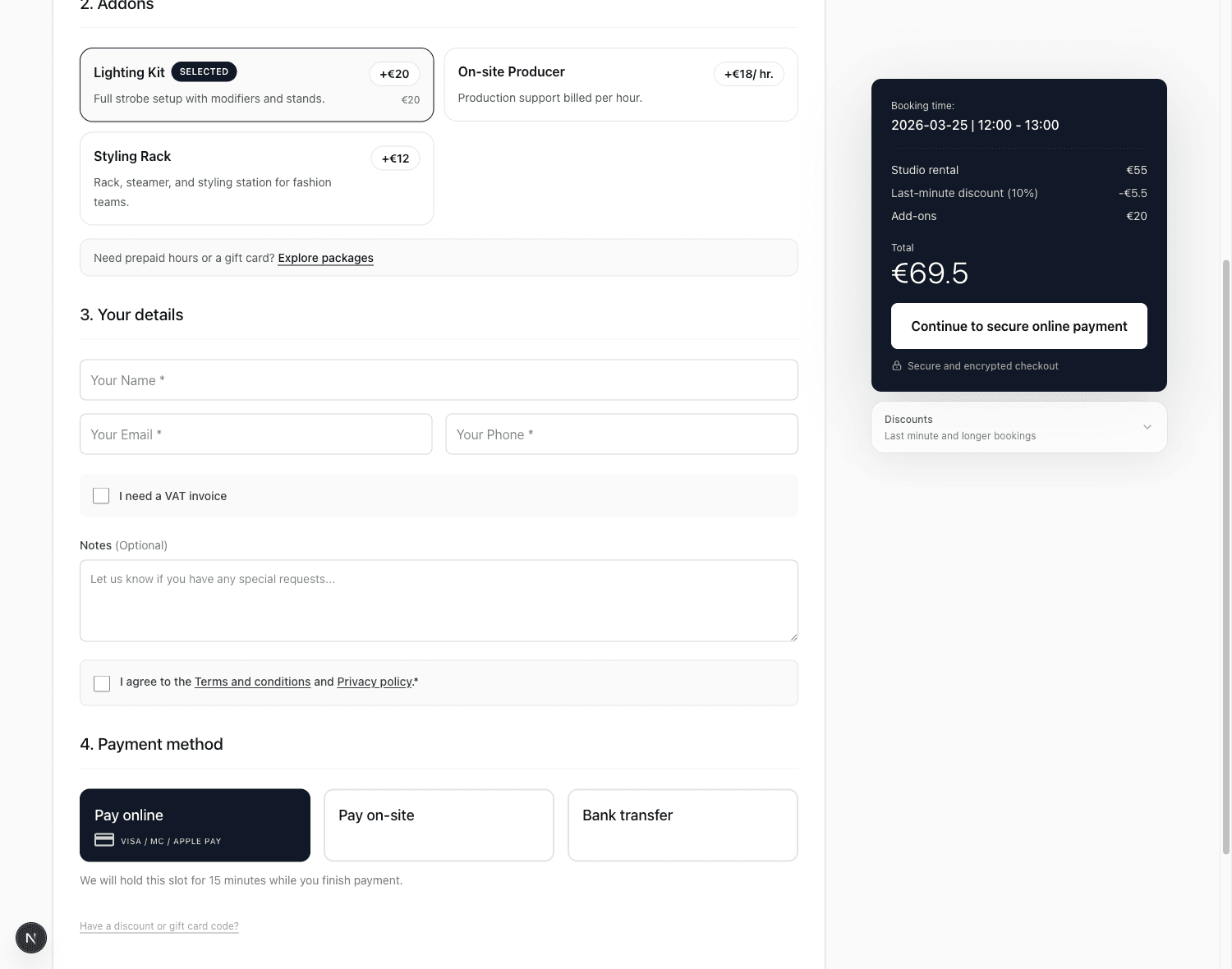
The public experience is simple: choose a session, pick an available time or request approval, answer the right questions, add references when useful, and pay.
Why This Is Not Another Acuity Clone
Generic schedulers are good at putting appointments on a calendar. Sessions adds the parts creative work often needs: context, reference uploads, approval, payment, and a clear client record.
The goal is not to replace the human conversation. The goal is to remove admin around it.
Form fields are configurable. A photographer does not need to ask a client to define the photographer's style. One business might ask about deadlines and practical notes. Another might ask for references. The form should fit the work.
The Core Workflow
Sessions supports two simple booking patterns:
- Instant booking for fixed-price, fixed-duration offers like mini sessions or simple studio portraits.
- Request-to-book for higher-context work where the operator wants to review the submitted details, propose a slot, and then request payment.
The request flow matters because it protects the real booking: a request does not block the calendar immediately, approval re-checks availability, an approved slot creates a temporary hold, and payment converts that hold into a booking. That prevents two clients from paying for the same time.
Who Sessions Is For
Sessions is a good starting point when the offer is a service or creative block of time, not just access to a room.
- Photographers selling mini sessions, portraits, branding shoots, or content days.
- Videographers selling production blocks, interview sessions, or content packages.
- Recording and podcast teams selling sessions with optional support.
- Consultants and private workshop hosts who need a polished request and payment flow.
- Small experience operators selling one private booking per time slot.
Full class ticketing, waitlists, multi-attendee capacity, and advanced staff routing are not the first Sessions release. Those belong to deeper workflows. The MVP is intentionally focused on private or one-booking-per-slot sessions.
How Pro Fits
Pro is the self-service starting point for launching a complete booking operation.
For Sessions, Pro includes one Sessions calendar, up to twenty active offers, custom forms, references, add-ons, payments, reminders, client history, brand color, and per-space embeds.
Pro and Scale are for larger studio operations: more spaces, teams, gift cards in Offers, hour packages, recurring memberships, portal, custom domain, white-label, webhooks, and advanced embeds.
How To Use It
A new user can create a StudioDock account, choose Sessions during setup, and start from a simplified Sessions admin. The first steps are intentionally direct:
- Create session offers.
- Set availability.
- Attach configurable intake questions and reference uploads.
- Choose instant booking or request-to-book.
- Publish or embed the Sessions page.
Existing space operators can keep using Spaces as before. Sessions gives StudioDock a second path for businesses that sell time and private offers.
Ready to upgrade your studio?
Join the creative spaces switching to StudioDock to maximize every booking hour.
Start free for 14 days