
Booking Software for Studios With Equipment Add-ons
Reviewed by StudioDock product team. Last updated April 30, 2026.
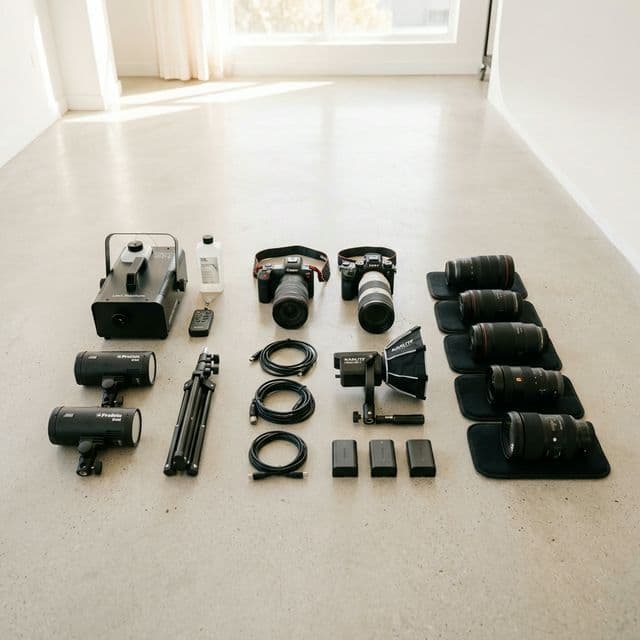
Equipment add-ons are where many studios quietly lose revenue. A client books the room, then asks about lights, microphones, backdrops, operators, props, or setup help in a separate message thread. The studio either forgets to quote the extra value or has to rebuild the booking by hand.
Good booking software for studios with equipment add-ons should make those add-ons visible during checkout. The goal is not to pressure clients into buying more. The goal is to make the full session clear before the booking is confirmed.
If you are evaluating the combined checkout workflow—not only equipment—read our studio booking software guide for deposits, add-ons, and prepaid packages.
Why add-ons belong inside checkout
When add-ons live outside the booking flow, they become admin work. Someone has to answer the same questions, update the price, send another payment link, and remember which equipment is attached to which booking.
- Clients see the real offer: the room, gear, services, and payment step are part of one decision.
- Average order value becomes easier to grow: clients can select the add-ons they already need.
- Operations stay clearer: staff can see what was sold without reading old messages.
- Payments match the booking: deposits, full payments, and pay-later rules stay attached to the same record.
Which studios benefit most
Add-on checkout is strongest for studios where the room is only part of the session value. That includes photo, video, podcast, and recording spaces.
- Photo studios can sell lighting kits, backdrop changes, assistants, styling rails, or cleanup support.
- Video studios can offer operators, cameras, extra lights, and production support.
- Podcast studios can package booth time with extra microphones, cameras, editing, or an operator.
- Recording studios can attach engineer support, setup time, or service options to the room booking.
What to look for in the software
A basic scheduler may let you add a note or a second service, but studios need more structure. The add-on should belong to the booking, appear in the price breakdown, and be visible to the operator after checkout.
- Add-ons connected to specific spaces or offers.
- Quantity and option support for gear variants.
- Clear price breakdown before payment.
- Staff assignment when an add-on requires a person.
- Reporting so you can see which add-ons actually sell.
Do not confuse add-ons with hidden fees
Add-ons work when they help buyers build the right session. They should not feel like surprise fees added after the client has already committed. Put the common add-ons where clients can see them early, explain what is included, and keep the final price transparent.
If your studio sells repeat-client offers, add-on logic also connects naturally to hour packages in Offers and memberships. Read our guide on how to sell prepaid studio hours online.
Where StudioDock fits
StudioDock lets studios sell room time and add-ons in the same booking flow, then keep payment, client, and operational context together. You can compare the workflow against generic schedulers in StudioDock vs Acuity or StudioDock vs Calendly.
To see the buyer path directly, open a live demo or start a free trial.
Ready to upgrade your studio?
Join the creative spaces switching to StudioDock to maximize every booking hour.
Start free for 14 days